
For attorneys
Open the case already organized.
Give clients a clear way to send documents, record events and respond to requests. Your team gets an organized workspace to review the information, prepare the case and manage the practice.
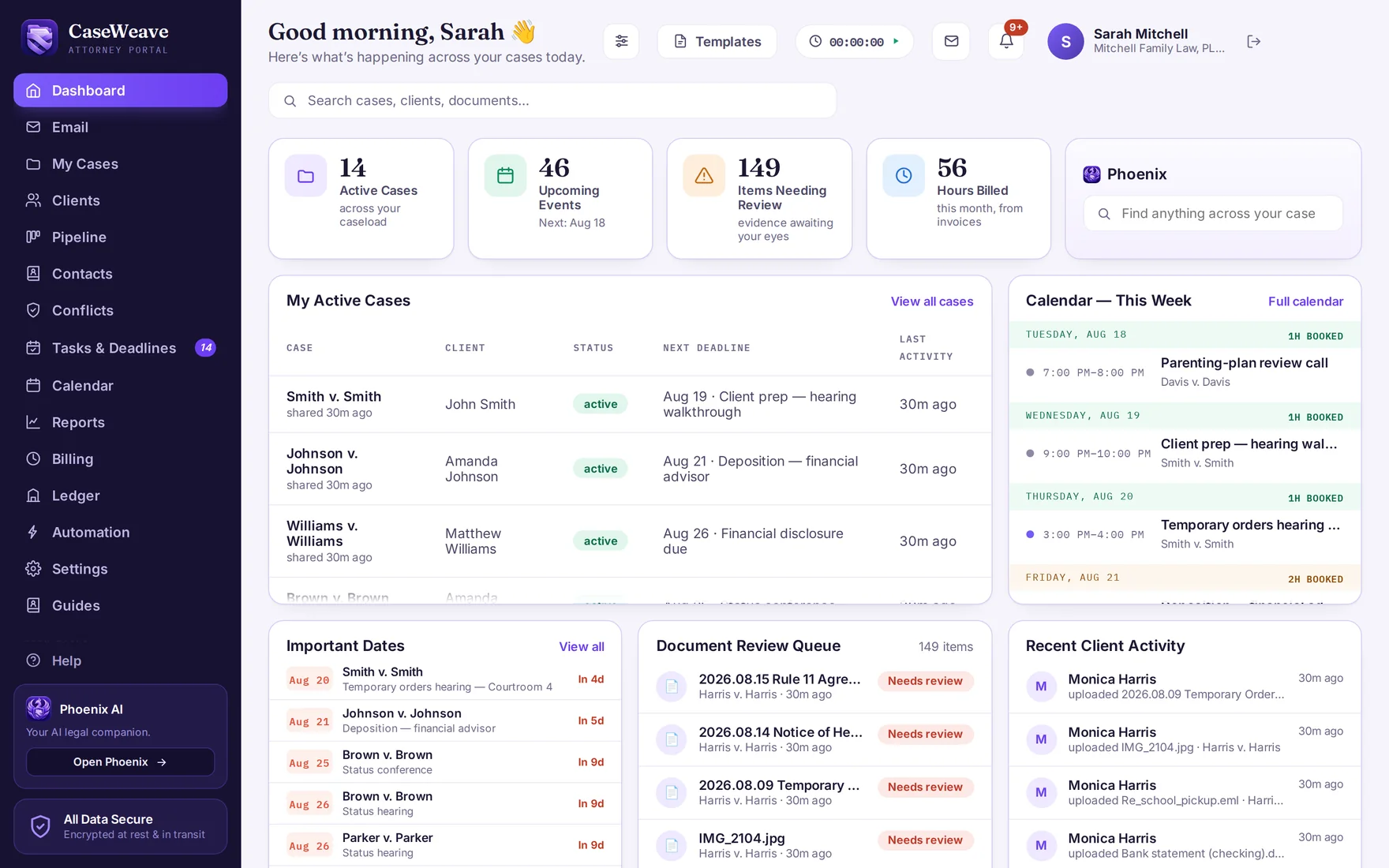
A clearer path from information to action.
- 01Start with an organized record
CaseVault reads and classifies incoming files, identifies dates and checks for duplicates. Your team reviews the details and makes corrections, with the original file preserved.
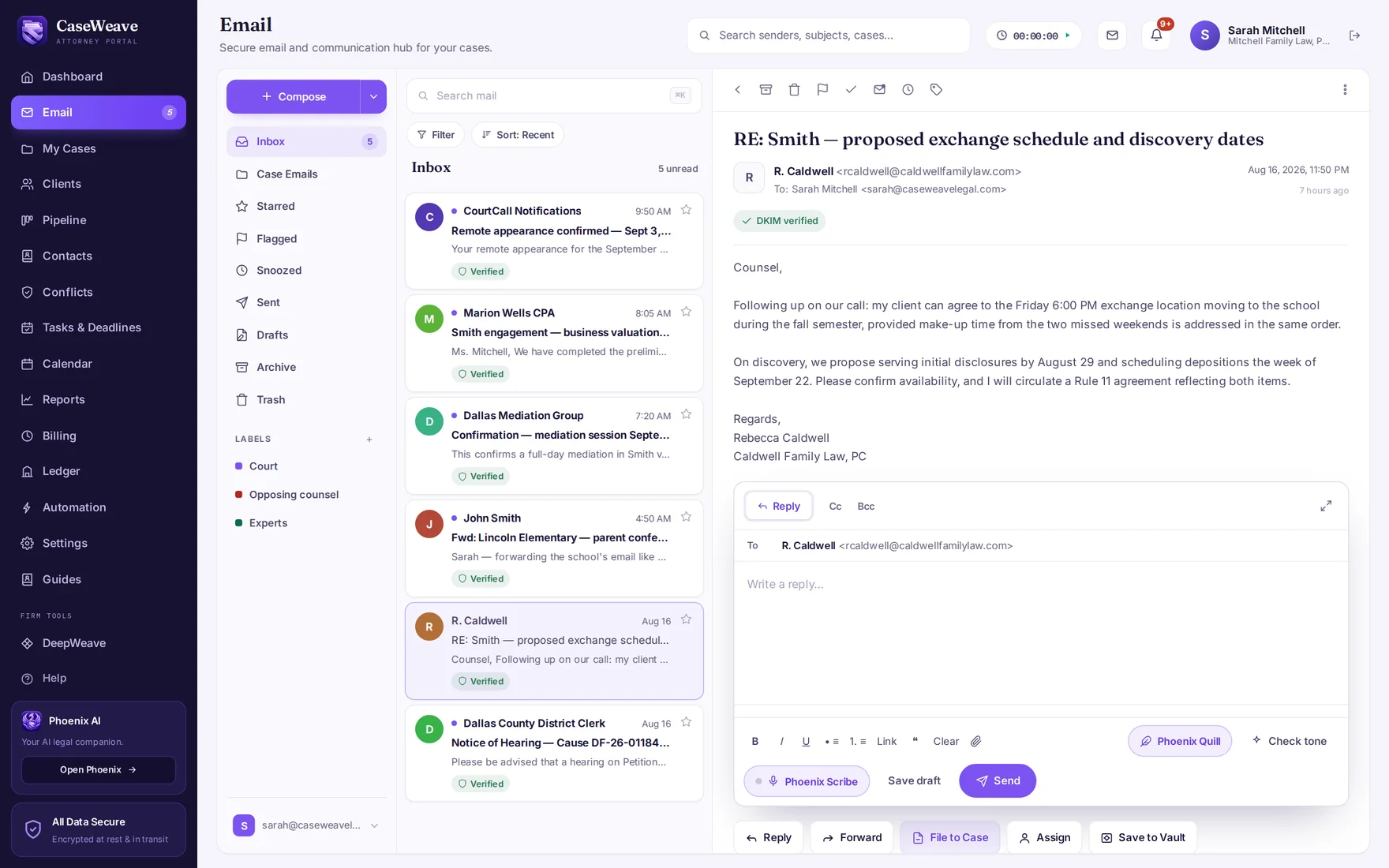
- 02Email joins the record
Connect Gmail or Outlook, or use your CaseWeave mailbox. Any message files into its matter in one action, with the raw original preserved — nothing lives in a forwarding thread.
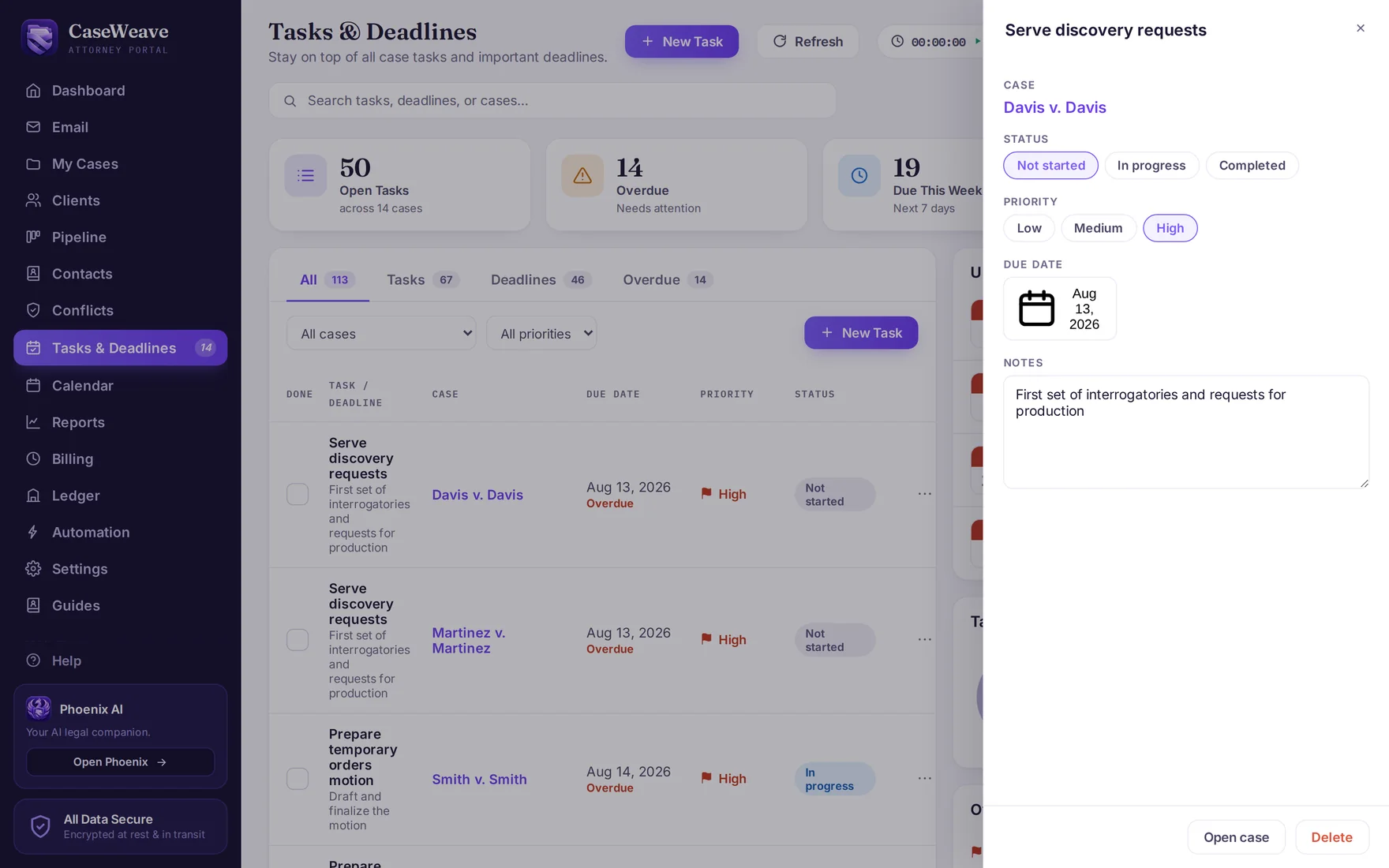
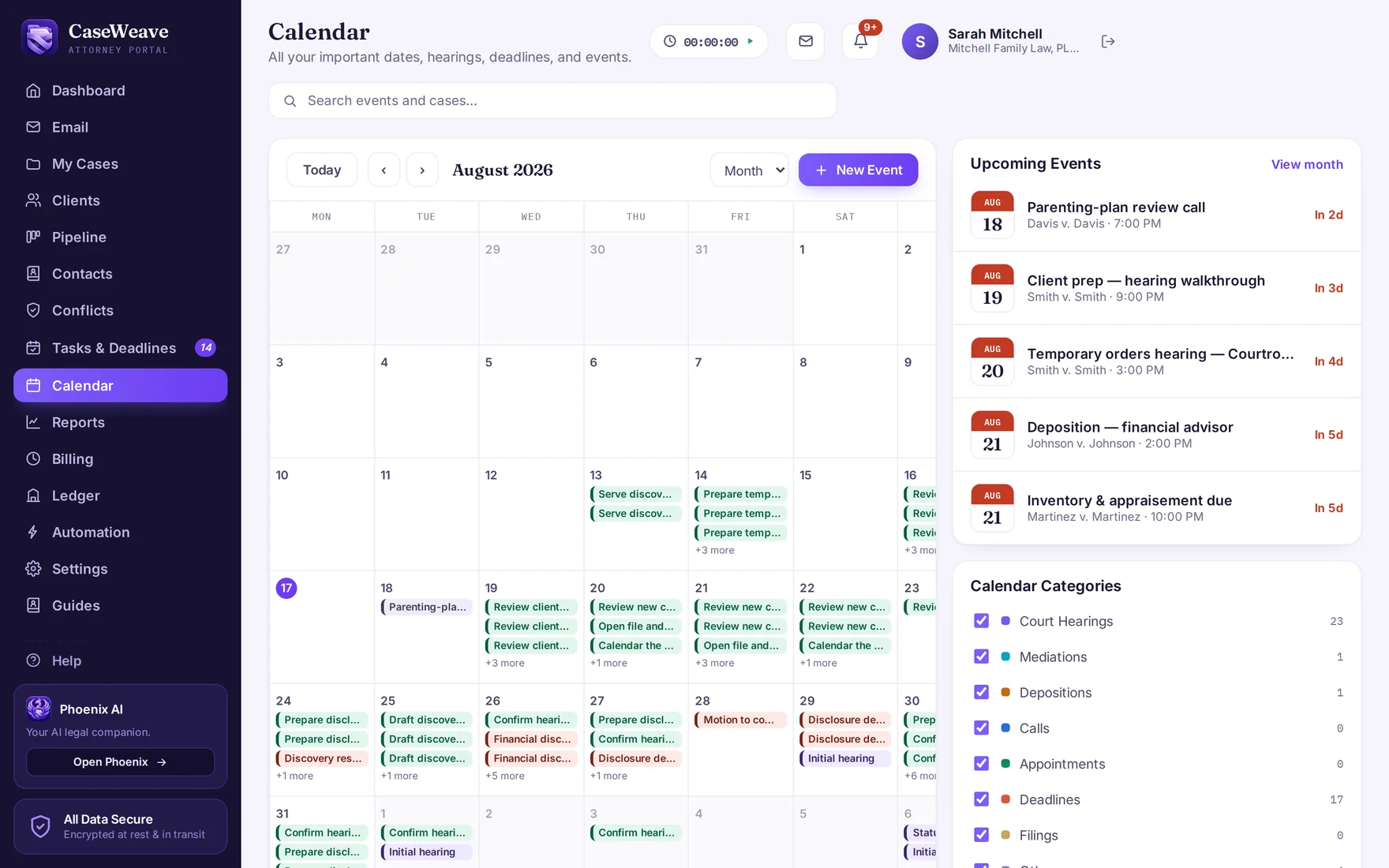
- 03Deadlines live with the case
Dates identified in filings appear on the calendar for review. Manage tasks, status and notes beside the case, and confirm deadlines against the source.
- 04The client answers you in the platform
Document requests go out as a checklist with preset family-law items; every line becomes an upload slot in the client's app, and you accept or ask for a better copy with your reason shown.
- 05Questions get cited answers
Ask Phoenix about support amounts, exchange records or missing documents. Open its source references and check the supporting material before using the answer.
- 06The bill explains itself
Review captured time, prepare an itemized invoice and show clients the work behind the bill. Time entries, expenses and billing stay connected to the matter.
The inbox, inside the practice.
A full mailbox in the platform — your connected Gmail or Outlook account, or a CaseWeave address. Triage the morning's mail into flags and tasks, file what belongs to a case with one action, and draft replies where the record already lives.
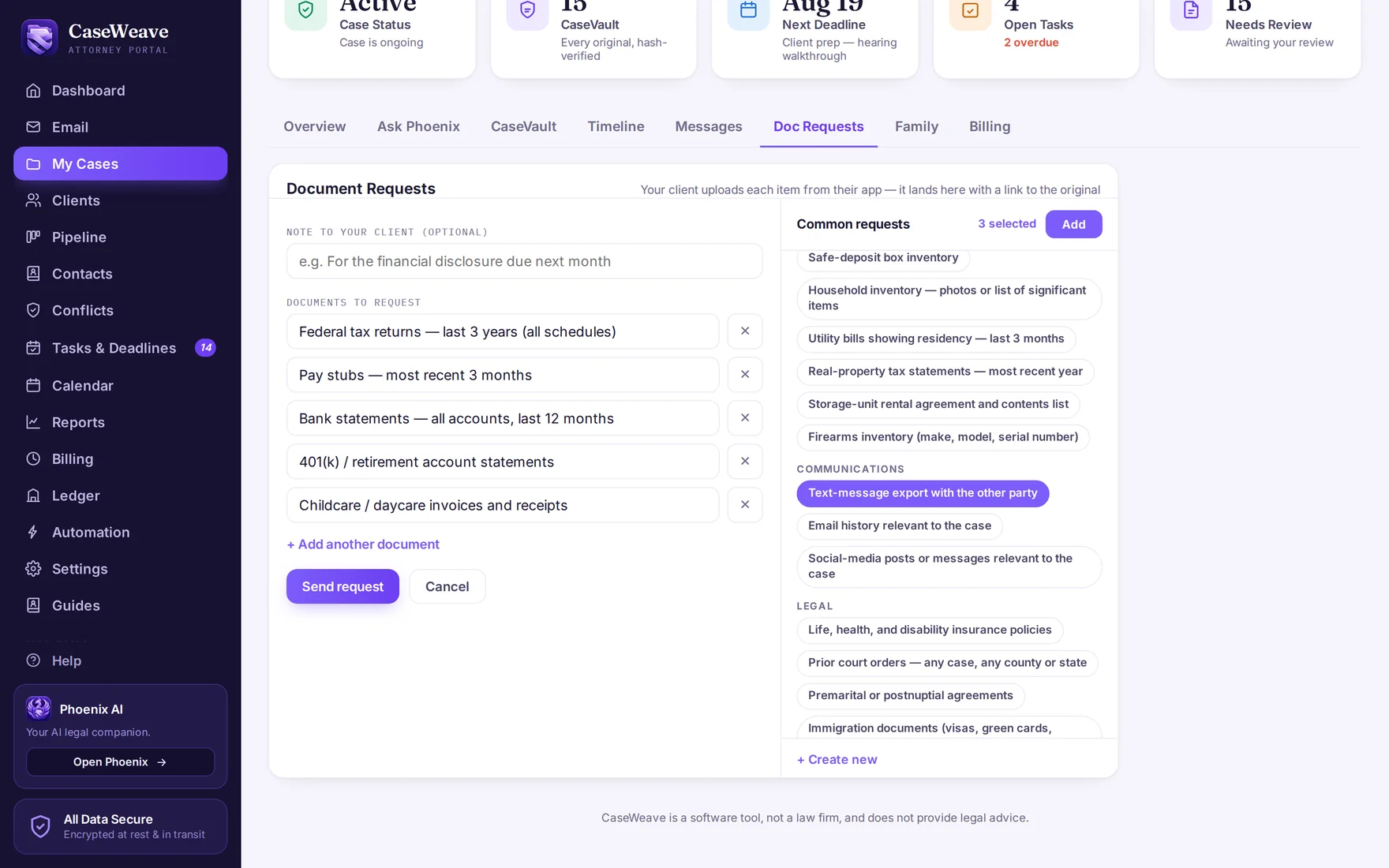
Request it once. Watch it arrive.
Tax returns, paystubs, bank statements, the text-message history — the common requests live in a preset library, so the full checklist goes out in minutes. Each item tracks its own state, the client works the list from their phone, and what arrives is already in the vault.
From first call to closed file.
- IntakeA firm-branded intake form, a prospect pipeline with family-law stages, and a conflict check before the matter exists — durable, on the record, across your whole history.
- The teamFirm chat with channels, private rooms and direct messages. Strategy stays inside the firm; clients can never see it. Firm-private notes on any matter stay firm-private by architecture.
- DocumentsFirm templates that merge real case data, Quill drafting with tracked changes and side-by-side compare, e-signatures, Bates-stamped exhibit sets and court-ready packages.
- The booksTimers that follow you, itemized invoices your client can read line by line, A/R aging, and trust ledgers with three-way reconciliation — corrections by offsetting entry, like paper.
- AutomationWorkflows the firm switches on and controls — invoice reminders that stop the moment payment lands, on the schedule you set.
Set up for you. Controlled by you.
We help configure your matter templates, document requests and workflow, bring over open matters and train your team. Your firm keeps control of its settings, with guides and support available as you work.
A better-equipped client gives your team more to work with. That is why client tools are part of the platform.
Why the client side is included